Improved
October 14, 2026: ZAP users can now view vitals in metric or imperial units
October 14th, 2026 by Nicolas Luzarraga
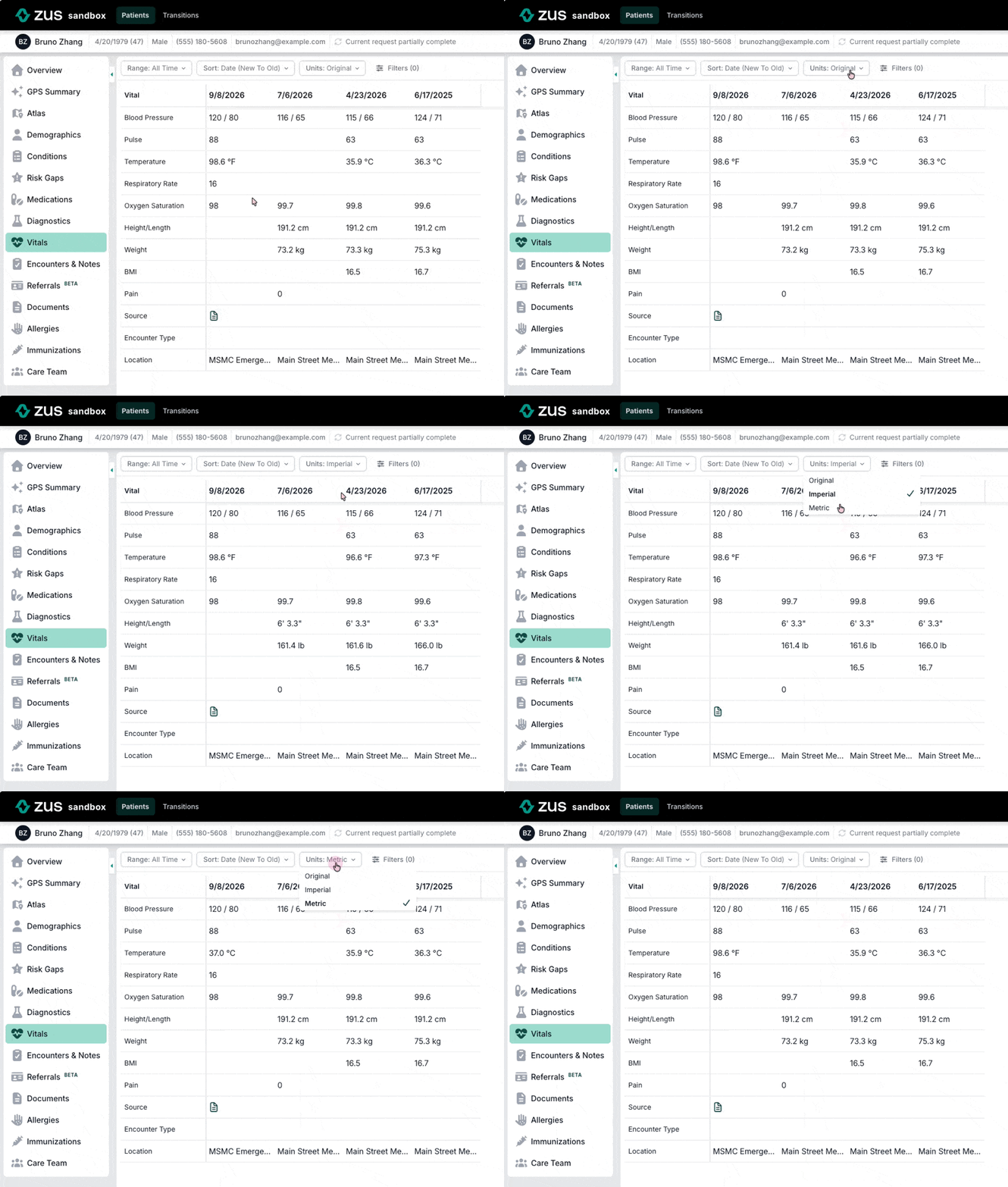
ZAP users can now choose how vitals are displayed. A new unit toggle on the Vitals tab lets you switch between Imperial, Metric, or Original (units exactly as the source sent them).
Why it matters
Vitals come from many sources, and each one sends its own units. One EHR may display weight in pounds in its UI but send us grams through its API. You could end up with a 7-year-old's weight shown in grams next to readings in kilograms or pounds, which makes the chart harder to scan and harder to use for things like weight-based dosing.
What's new
- Unit toggle on the Vitals tab: Pick Original, Imperial, or Metric. Your choice applies to the vitals table and the Patient Overview vitals card.
- Readable formats:
- Imperial: heights present in feet and inches (e.g., 180 cm → 5' 10.9"), weights in lbs, and temperature in °F.
- Metric: heights present in cm, weights in kg, and temperature in °C.
- Organization defaults: Admins can set a default unit system for everyone in their organization. Each user can then override it with the toggle. Contact your Zus team to set a default.
Good to know
- Conversion applies to weight, height, and temperature. Labs, blood pressure, pulse, respiratory rate, oxygen saturation, and BMI are not converted.
- Your toggle choice is saved in your current browser. It won't carry over to another browser or device.
- Converting units only changes how vitals look in the ZAP. Data from the API and data marts is not affected.