
athenahealth
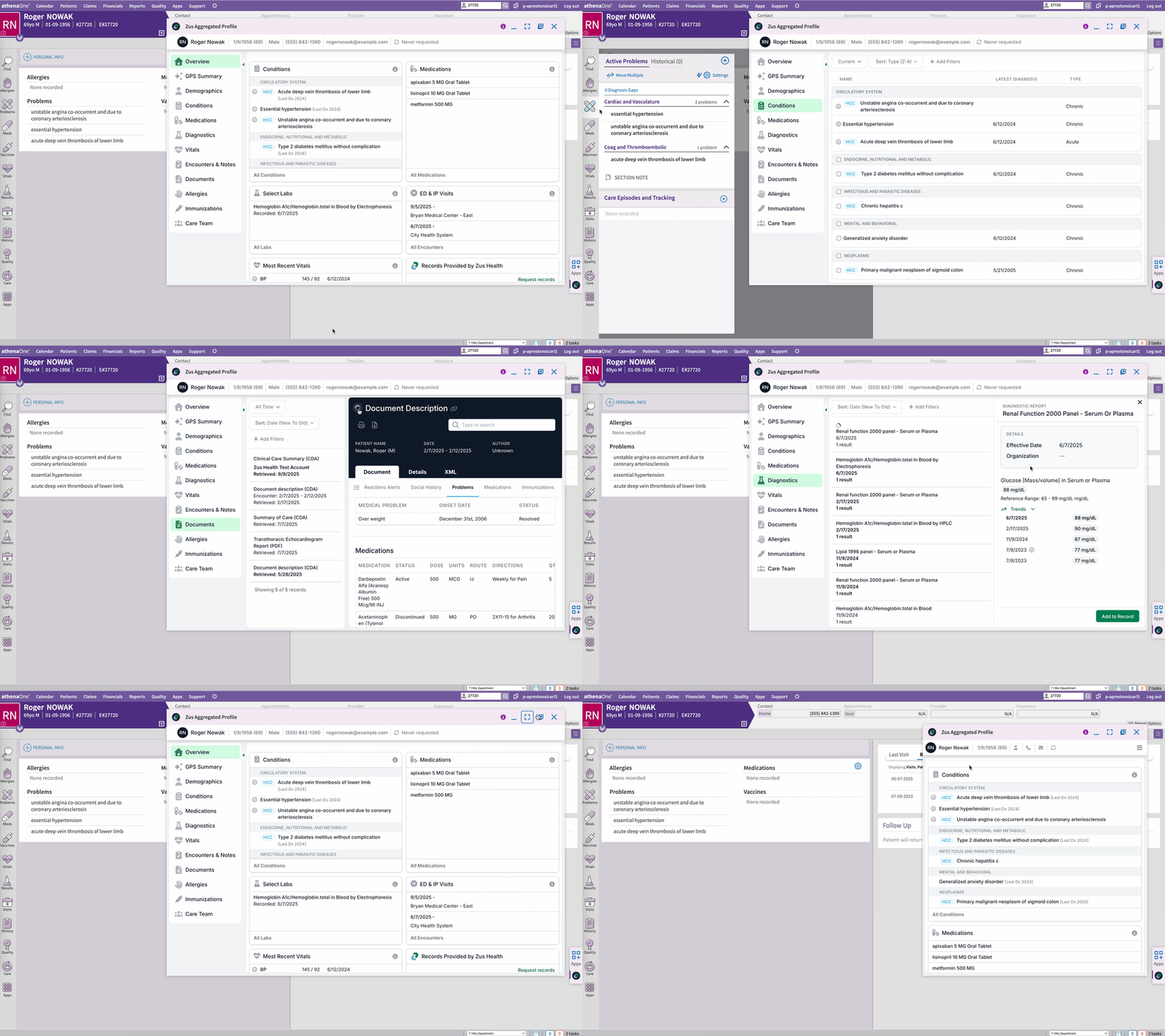
Embedded UI Component
- Launch the Embedded ZAP from the Apps tab in the patient chart (SMART on FHIR app launcher)
- Write conditions, labs and vitals to the patient chart directly from the ZAP
- Resizable and movable
Data Synchronization
The following data is pulled during the single patient sync:
- Allergies
- Conditions
- Demographics
- Diagnostic Reports
- Encounters
- Immunizations
- Medications
- Observations
The following data is synced automatically every 15 minutes based on Athena changed data subscriptions:
- Appointments
- Demographics
Custom Fields
Zus is able to consume Athena custom fields into the FHIR Patient.extension. This can be useful if there are custom fields that would be helpful when querying Zus data in Snowflake or to drive auto-enrollment (eg. enrolling in a specific Zus subscription package based on a custom field value).
Setup Requirements
- Go to our listing on the Athena Marketplace and fill out the authorization and consent form
- An Athena admin must enable the app for your practice
Updated 9 months ago
Did this page help you?