
Universal Patient Identifier (UPID)
How Zus links records for the same person, assigns a UPID, and resolves patient matching issues.
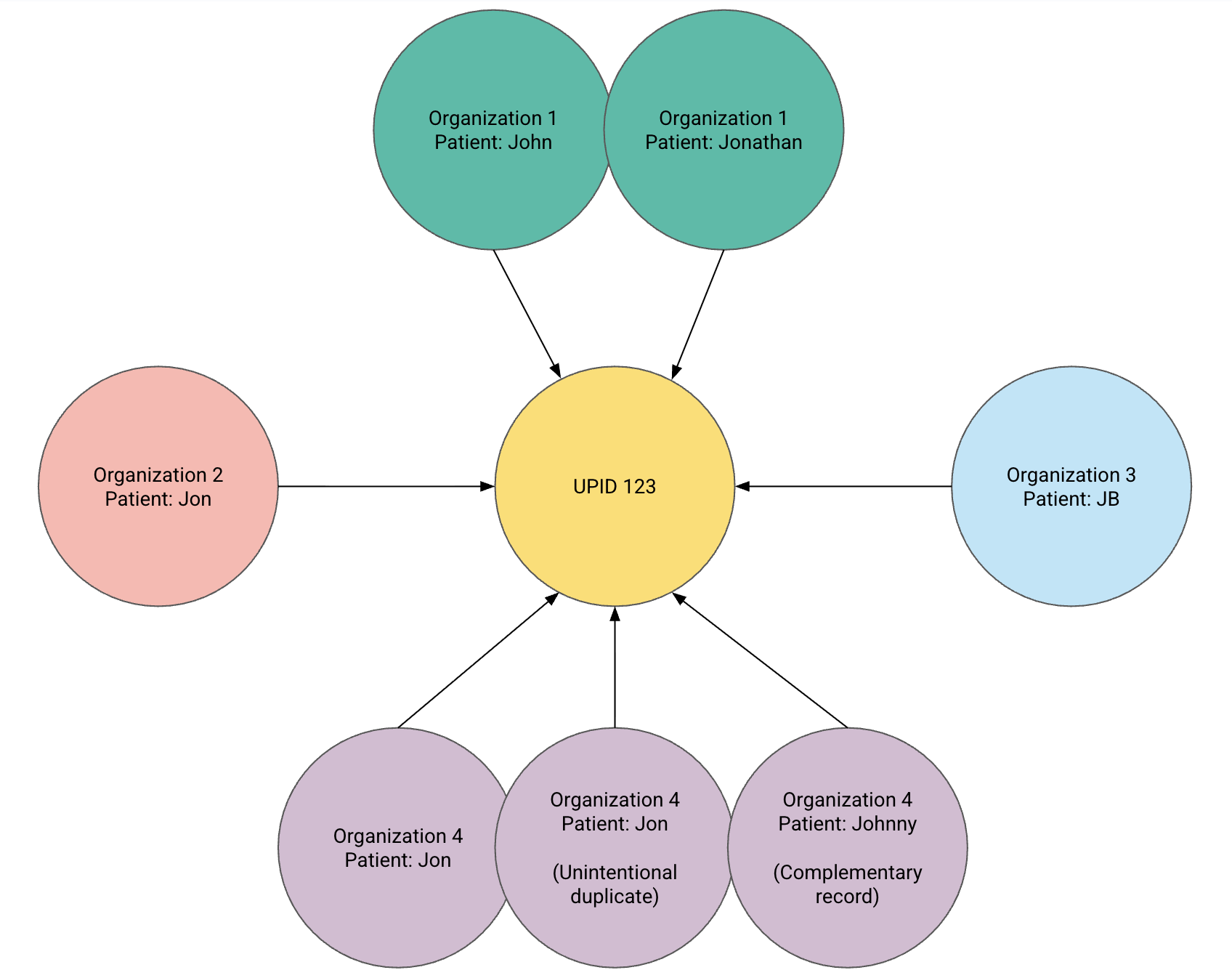
The Universal Patient Identifier (UPID) links records that Zus believes belong to the same person. It connects patient records from your organization, external networks, and other organizations on Zus so their clinical information can be assembled into a Zus Aggregated Profile (ZAP).
Zus assigns UPIDs through the Universal Patient Index (UPI), its patient identity and matching service.
| Term | What it means |
|---|---|
| Patient resource | A FHIR record containing a patient's demographics and identifiers from a particular source. A person can have multiple Patient resources. |
| Universal Patient Index (UPI) | The service that compares patient records and determines which represent the same person. |
| Universal Patient Identifier (UPID) | The identifier shared by Patient resources matched to the same person. |
| Zus Aggregated Profile (ZAP) | The view of clinical information associated with that patient, subject to your organization's access permissions. |
Matching establishes which records belong together. It does not, by itself, authorize your organization to see every linked record. See Patient Relationships and Data Access for how access and retention work.
How patient matching works
The UPI compares patient demographics and identifiers across records known to Zus. It uses a scoring system to determine whether records represent the same person, with fuzzy matching for names and street addresses to account for variations such as misspellings, nicknames, and abbreviations.
The matching service evaluates:
- Name, with at least two characters in both the given and family name.
- Date of birth.
- Home address.
- Phone number.
- Email address.
- Patient identifiers, such as an EHR medical record number.
Zus uses conservative matching thresholds and assigns records to the same identity only when enough information aligns. Network-returned records receive additional weight based on the expectation that the responding organization has performed its own identity verification. Zus also reviews matches with scores just above its thresholds.
Provide accurate, complete demographics and keep them current. Shared family contact information, incomplete records, and placeholder values can make matching more difficult. The demographics required to retrieve network data are described in Network Requirements.
Find and use a patient's UPID
A UPID is represented as a UUID, such as 6738c92e-d3ec-424b-84c1-ffbbb16b3721. Zus adds it to the Patient resource's identifier array using this system:
{
  "resourceType": "Patient",
  "identifier": [
    {
      "system": "https://zusapi.com/fhir/identifier/universal-id",
      "value": "6738c92e-d3ec-424b-84c1-ffbbb16b3721"
    }
  ]
}
This excerpt shows where to find the UPID; it is not a request to create or change that identifier.
To query Patient resources by UPID, use:
GET https://api.zusapi.com/fhir/Patient?upid={{UPID}}The results remain subject to your access permissions.
A UPID can change
A UPID is not a permanent identifier. Changes to demographics, corrections to records, and improvements to matching can cause it to be reassigned. Read the current identifier from the Patient resource rather than assuming an earlier UPID will always remain valid.
Builder users and app clients cannot create, modify, or delete UPI resources or identifiers. Attempts return a 403 error. Contact Zus Support for identity corrections.
Recognize a possible matching error
An overmatch links records from different people to one identity. An undermatch leaves records for the same person under separate identities.
Overmatches can occur when family members share demographics, twins or newborns have similar names, a source organization has merged records incorrectly, or a source supplies placeholder values. Zus checks for common placeholder values, but matching errors can still occur.
Use the Demographics component in the Zus app to compare information across sources.
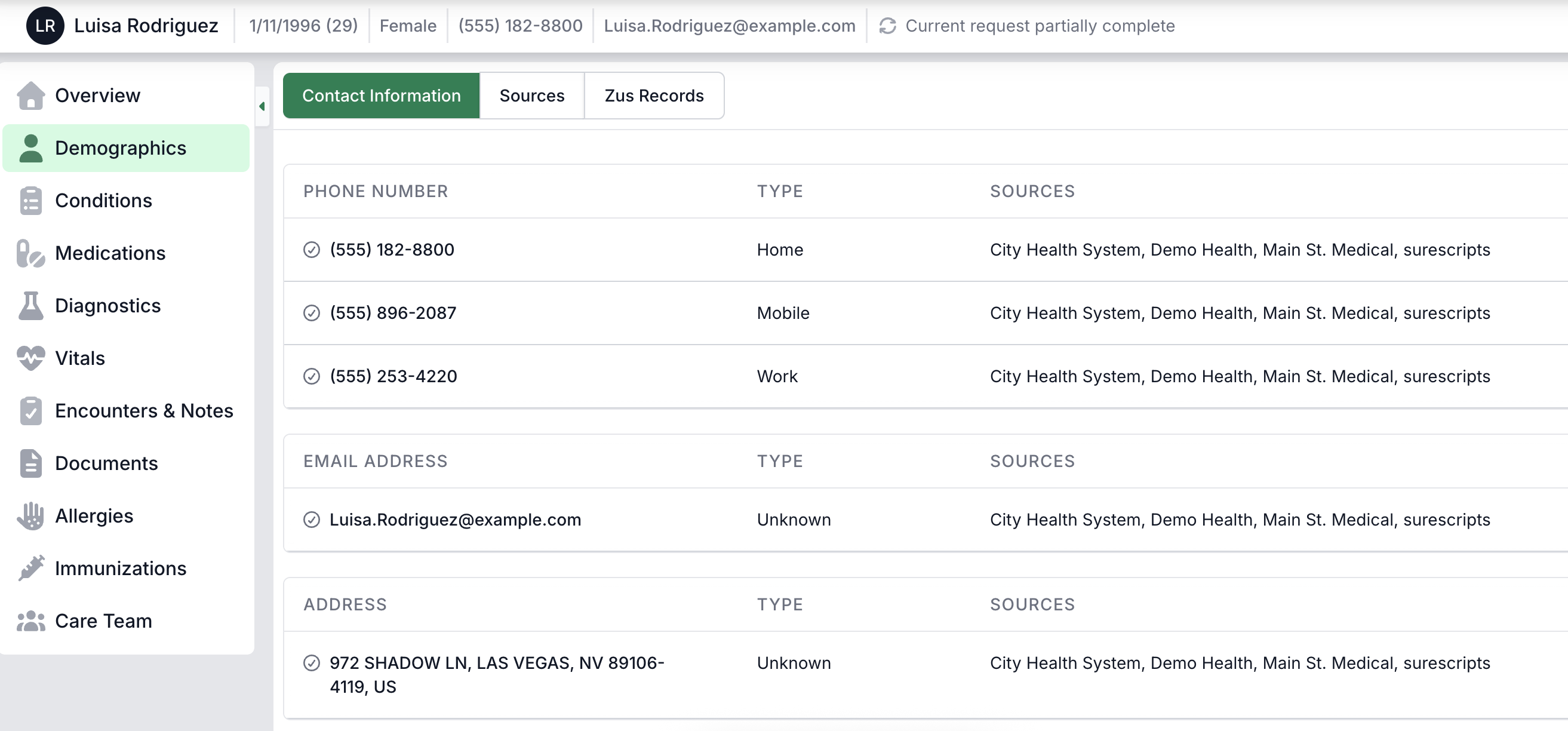
Investigate inconsistencies such as:
- Names, dates of birth, contact details, or MRNs that alternate unexpectedly across records.
- Clinical histories or medication lists that change without an apparent explanation.
- Encounter patterns that appear inconsistent with the patient's known care.
A discrepancy is a reason to review the records, rather than proof that two different people have been matched.
Report an overmatch or undermatch
File a support ticket with the affected UPID or UPIDs and the information that suggests a matching error. Zus Technical Support will review the identity and split or merge records as appropriate.
Related pages
Updated 8 days ago